
How To: Find Lynx Access Codes in Streamline
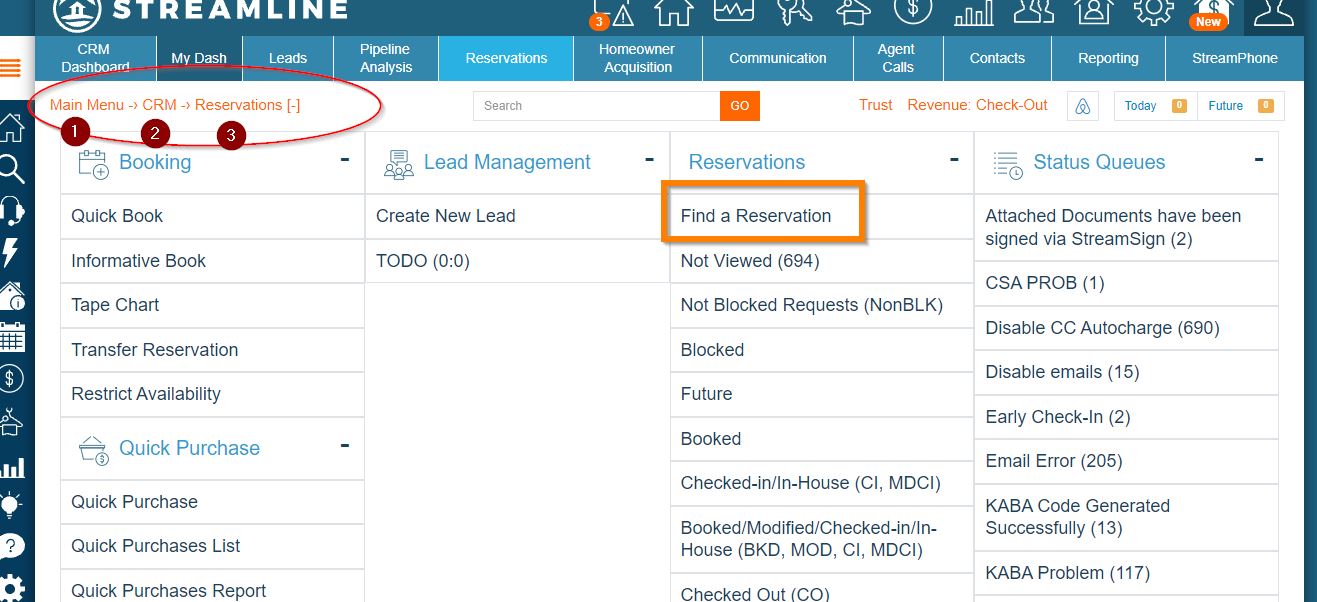
Below you will find the steps to follow so that you can locate your guest's Access Code after syncing reservations with Lynx in Streamline.
| Step 1: | Search for the reservation on Streamline. |
 |
|
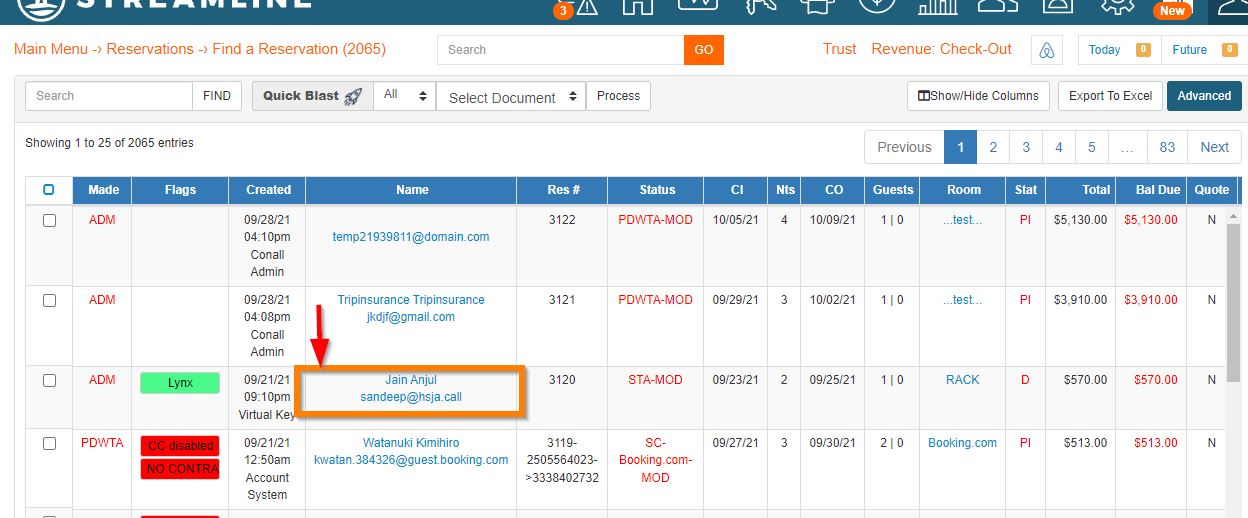
| Step 2: |
Open the reservation by selecting the Name field. This will open a new window with all of the reservation details. |
 |
|
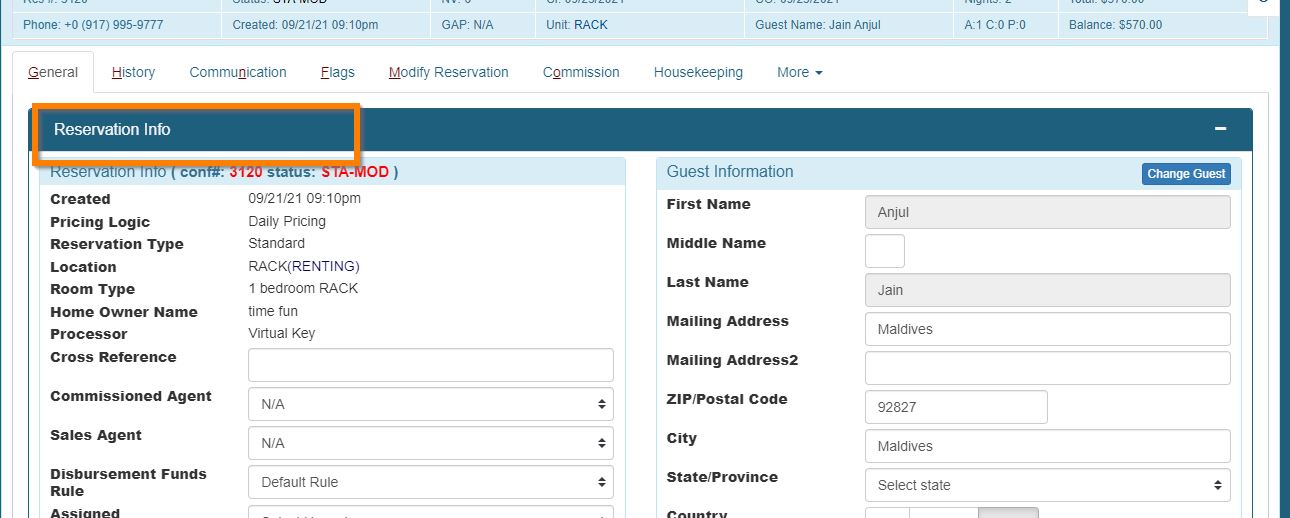
| Step 2a: |
New window view. |
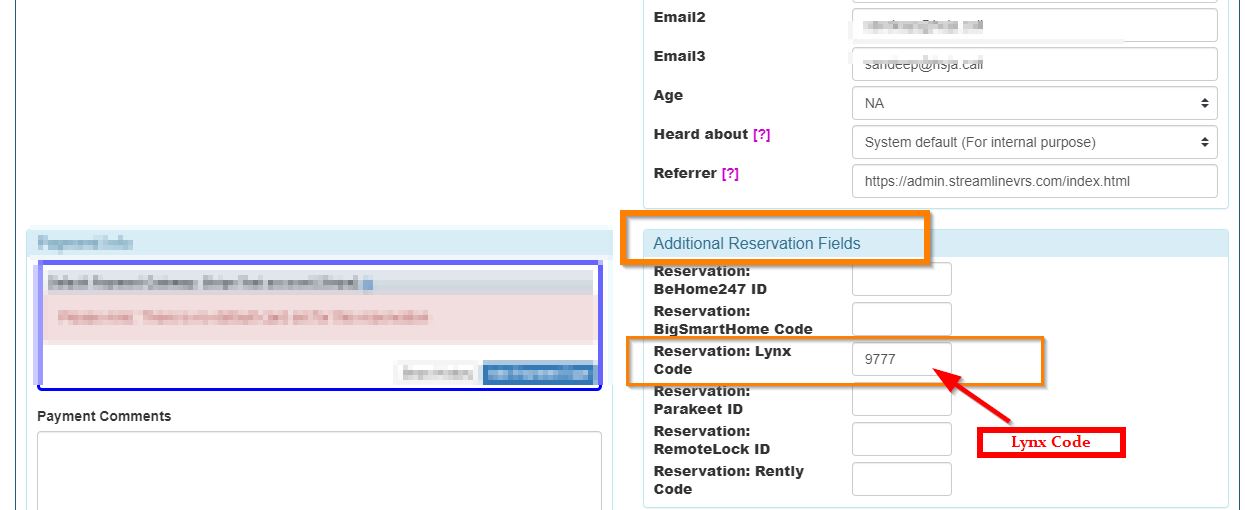
| Step 3: | Scroll down on the reservation Info window to the "Additional Reservation Fields" and find the "Lynx ID" field. |
|
Tip! Use the tag {reservation_additional.lynx_code} to insert the guest access code into your messages on Streamline. |
 |
Learn How To Integrate with streamline if you haven't done the first |
Comments
0 comments
Article is closed for comments.